
A monthly budget spreadsheet for the whole household, without writing a single formula
- You type, the workbook calculates: enter a transaction (date, description, category, amount) and the totals, what is left, the balance and the charts update on their own.
- Your currency, your categories: type your currency code or symbol (USD, GBP, EUR, CAD, INR or any other) in one cell and it appears everywhere. Rename, add or clear categories in the same place.
- A month that starts on payday: set the start day from 1 to 28. With 25, the January sheet runs from 25 January to 24 February, which makes it a true paycheck budget.
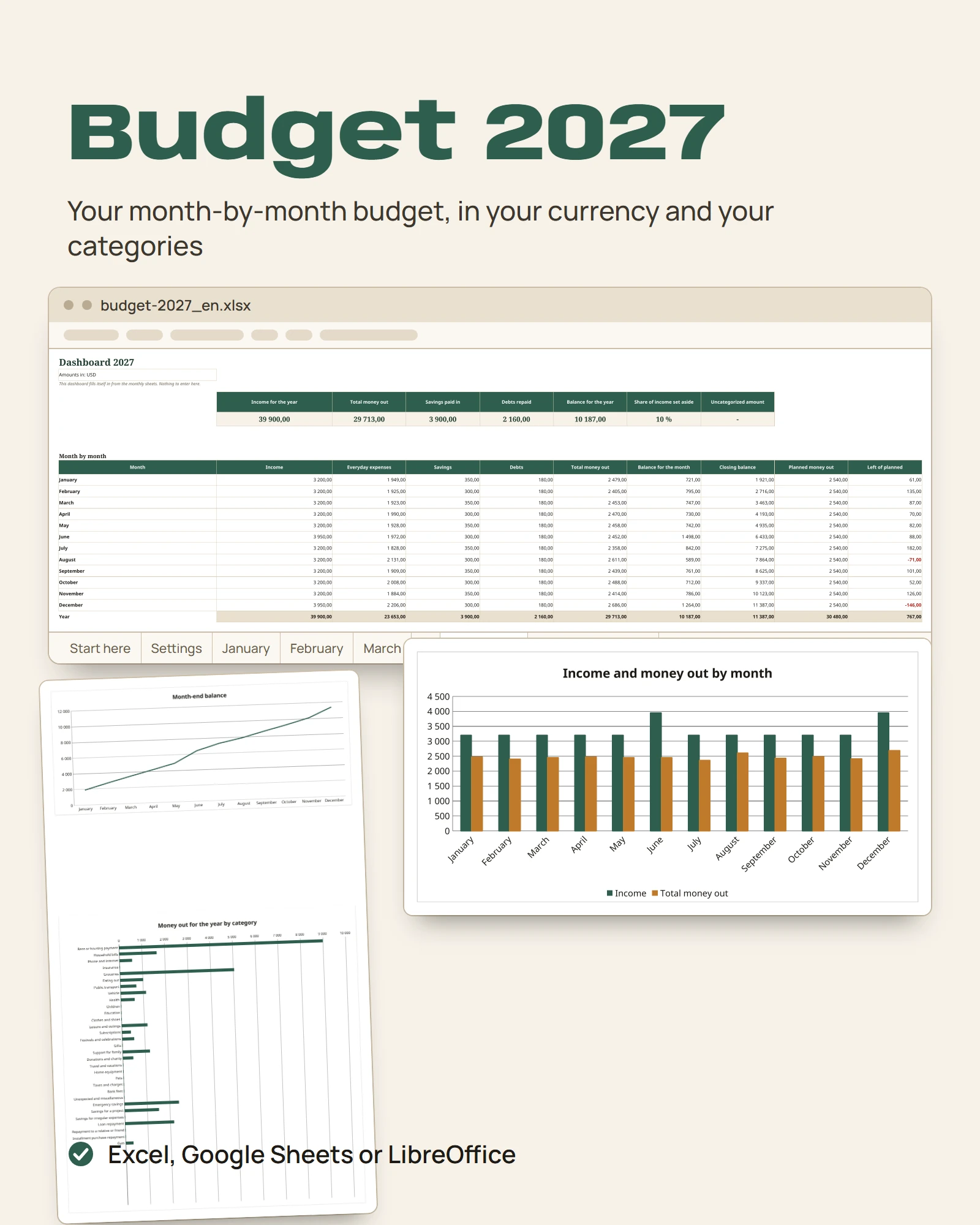
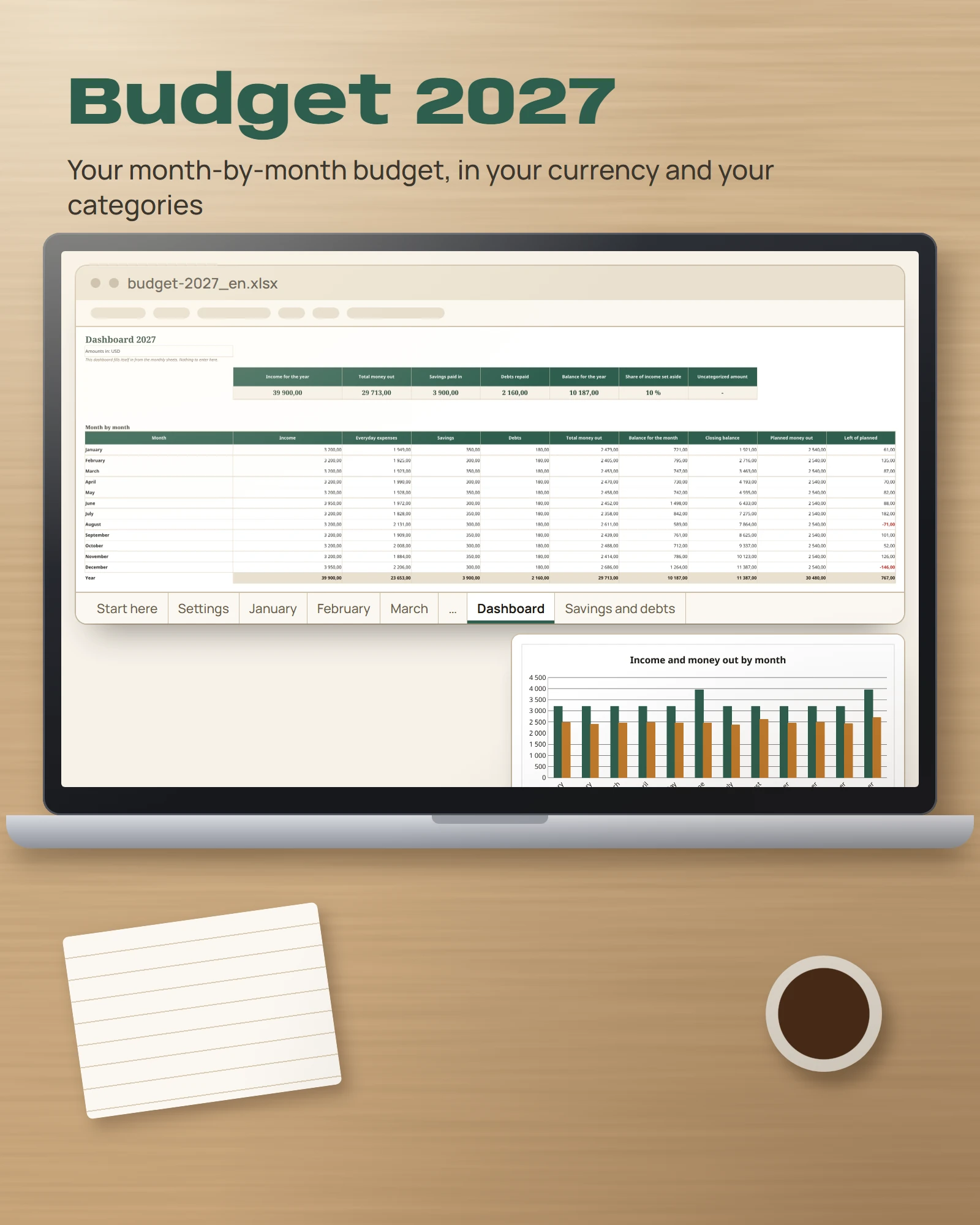
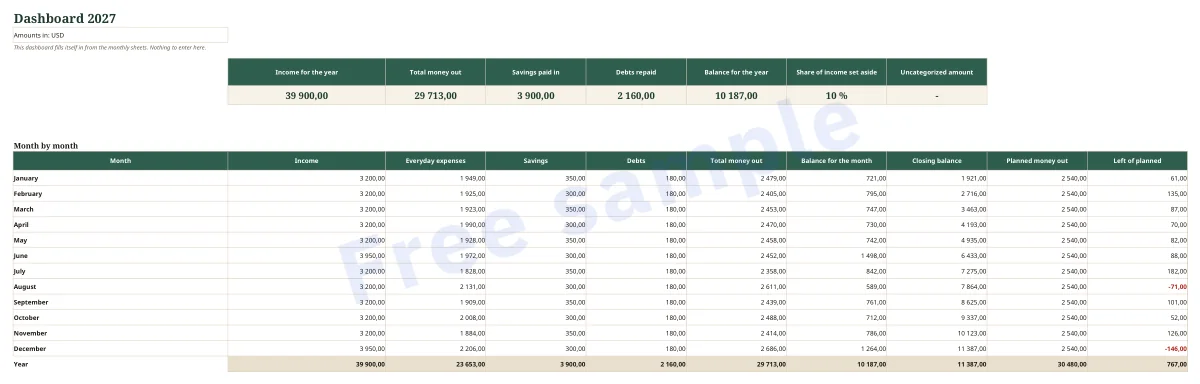
- Your year at a glance: a dashboard with 6 key figures, a month-by-month table, money out by category over 12 months and 3 charts.
- The costs people forget: the Irregular expenses sheet places annual insurance, back-to-school costs, celebrations or vacations in their month, and shows what each one comes to when divided by 12.
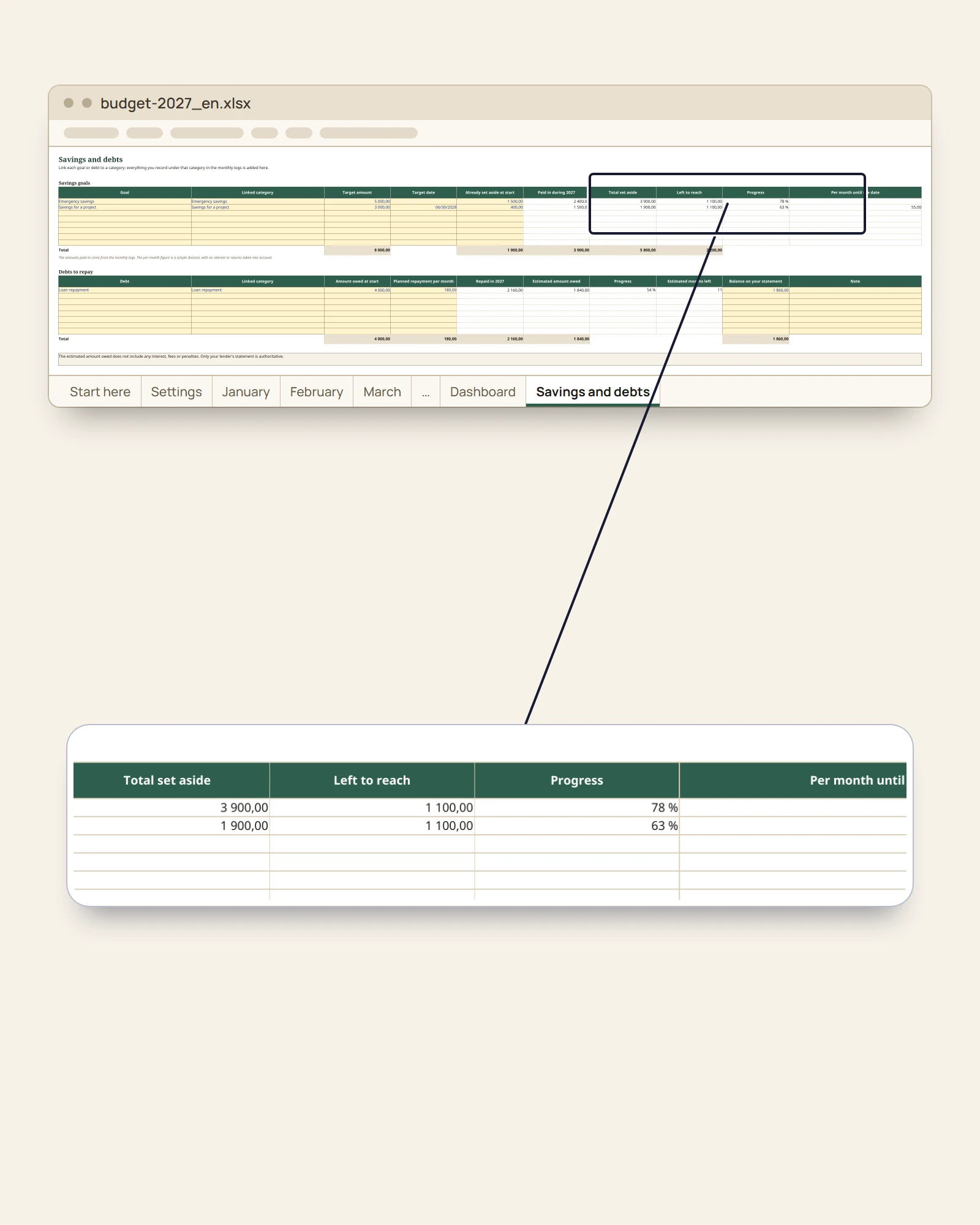
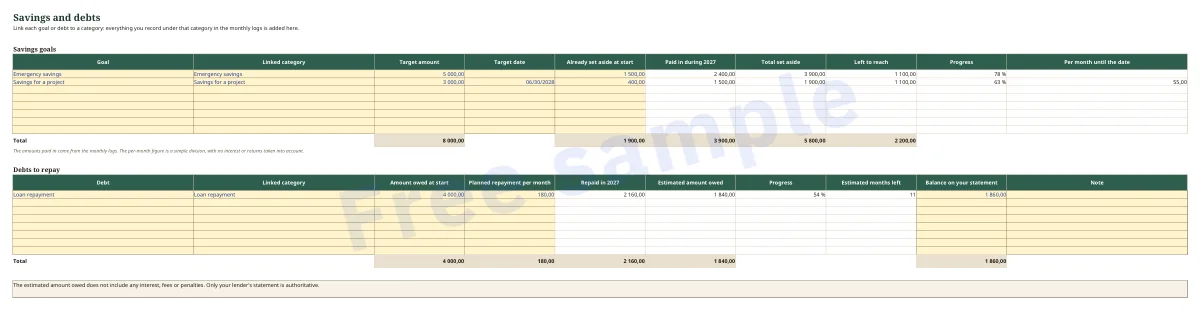
- Savings tracker and debt tracker with no double entry: link a goal or a debt to a category, and every payment you record in a month counts straight away.
- Categories for real life: support for family, donations and charity (donations, alms, zakat, tithes, charities: according to your habits), festivals and celebrations, education, bonus or extra month’s pay.
- Hard to break: you type in the yellow cells; the calculations, in white, are protected (no password).
Exactly what you get
- An Excel workbook (.xlsx) with 17 sheets, no macros, no external links, no subscription.
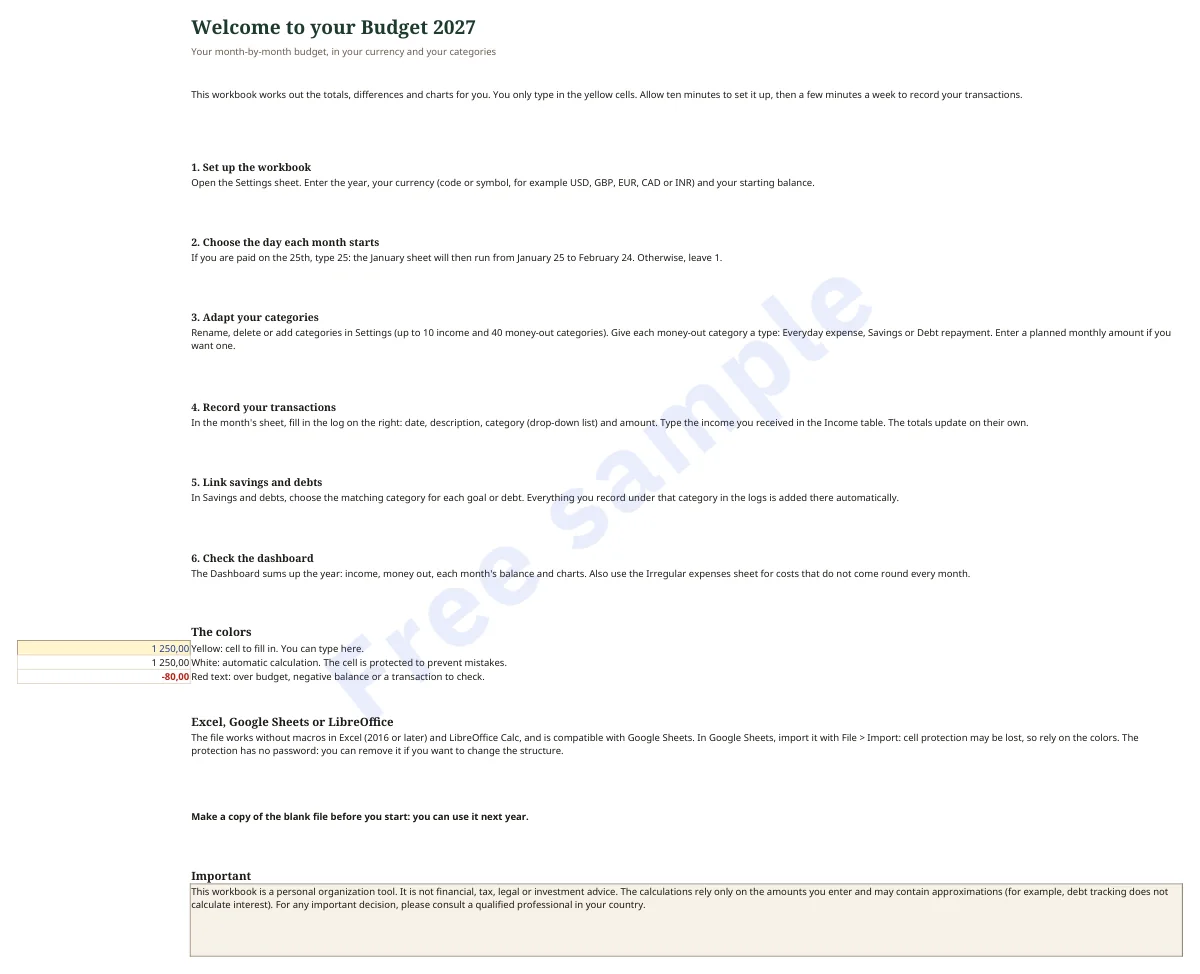
- Start here: 6-step instructions and the color key.
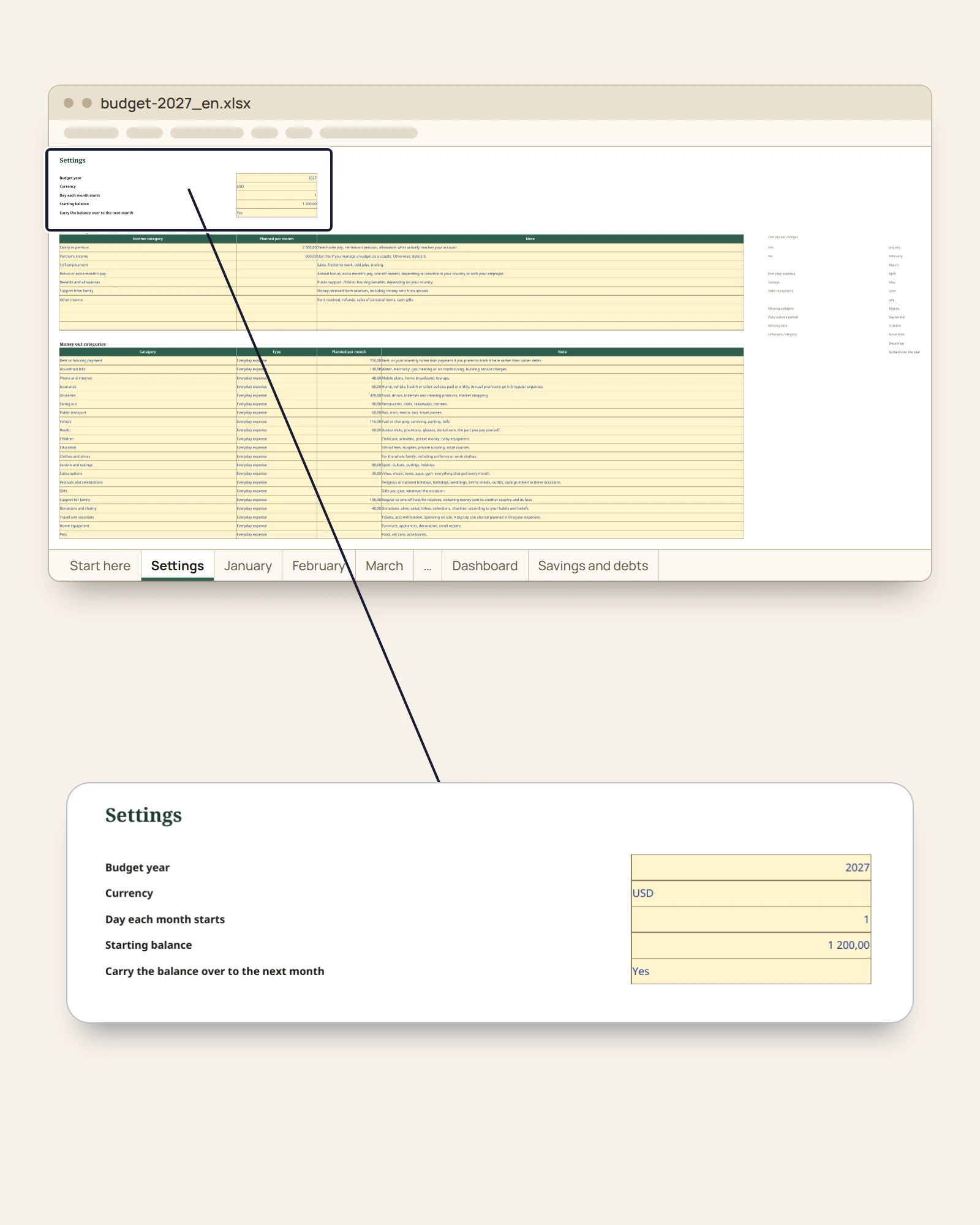
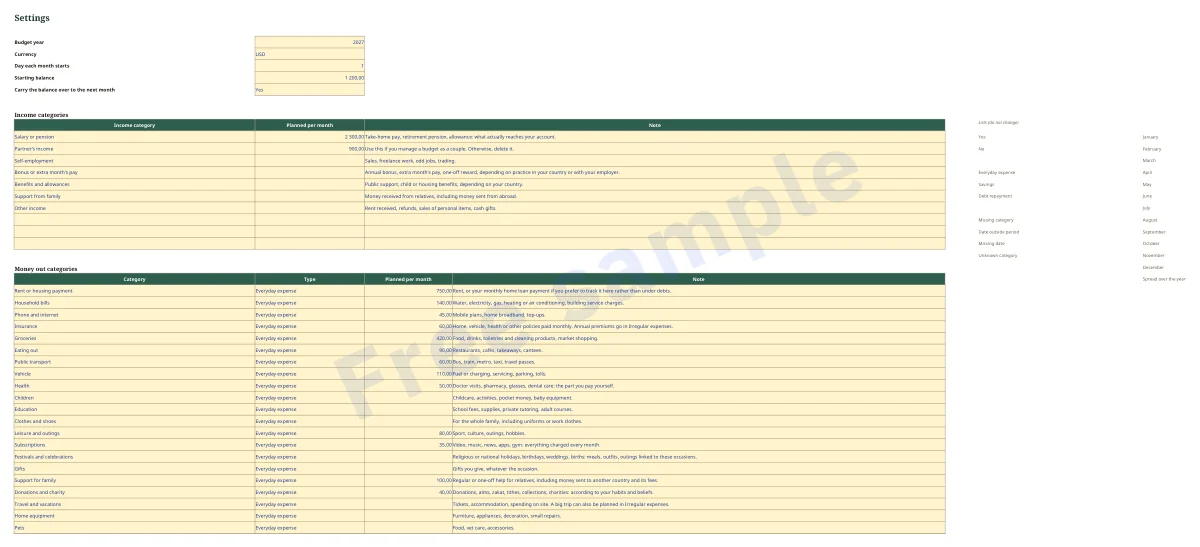
- Settings: year (2027, can be changed), currency, start day of the month, starting balance, carry-over from one month to the next, 10 income categories and 40 money-out categories (7 and 30 already filled in), each with its type: Everyday expense, Savings or Debt repayment.
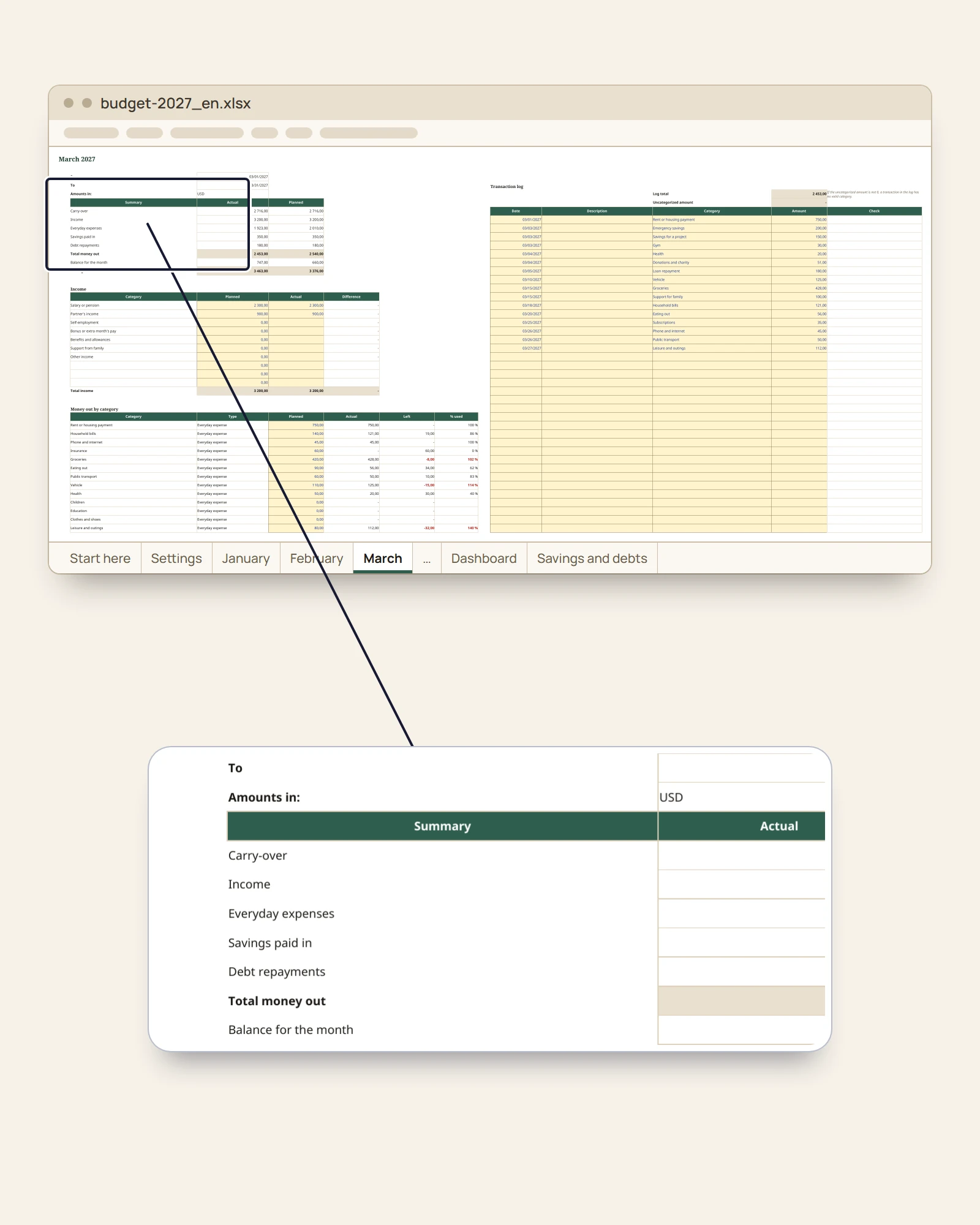
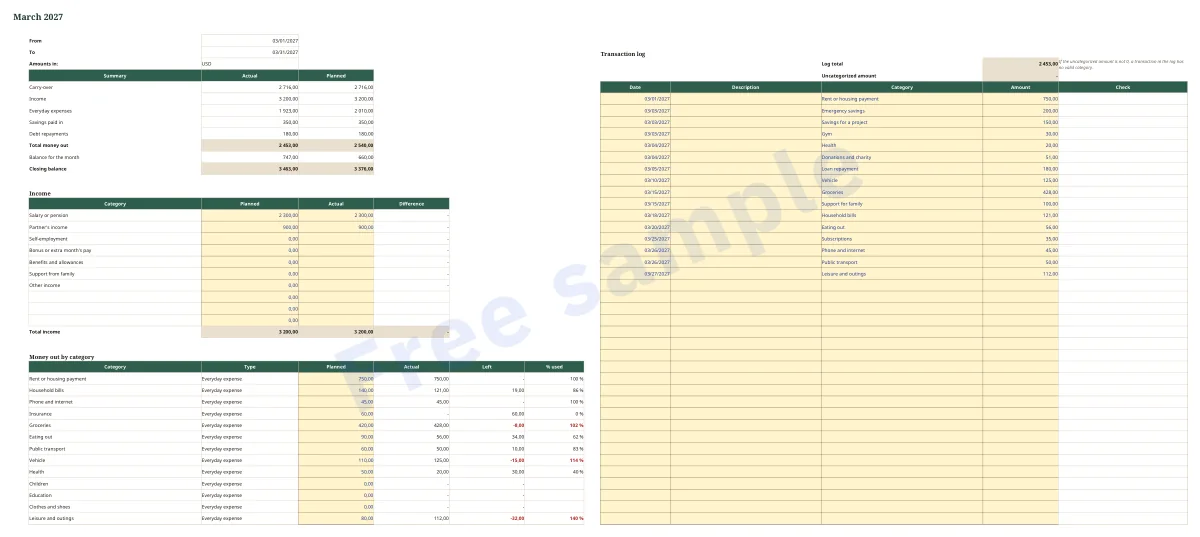
- January to December (12 sheets): planned vs actual summary, income with difference, money out by category with what is left and % used, and a 200-line log with a category drop-down list and a date check.
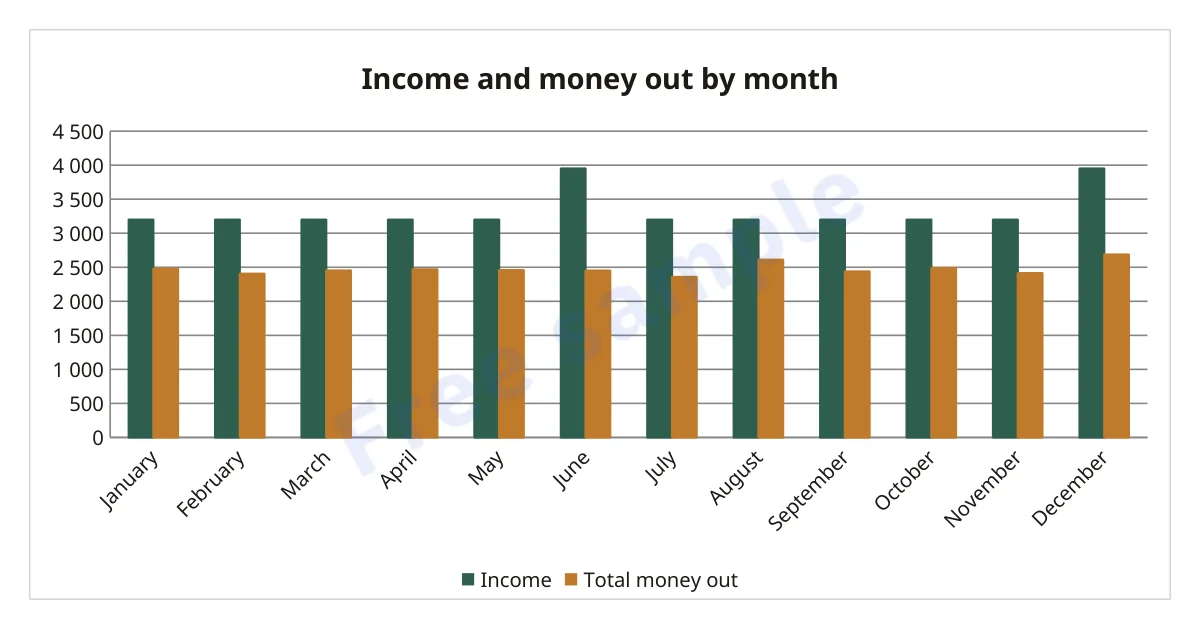
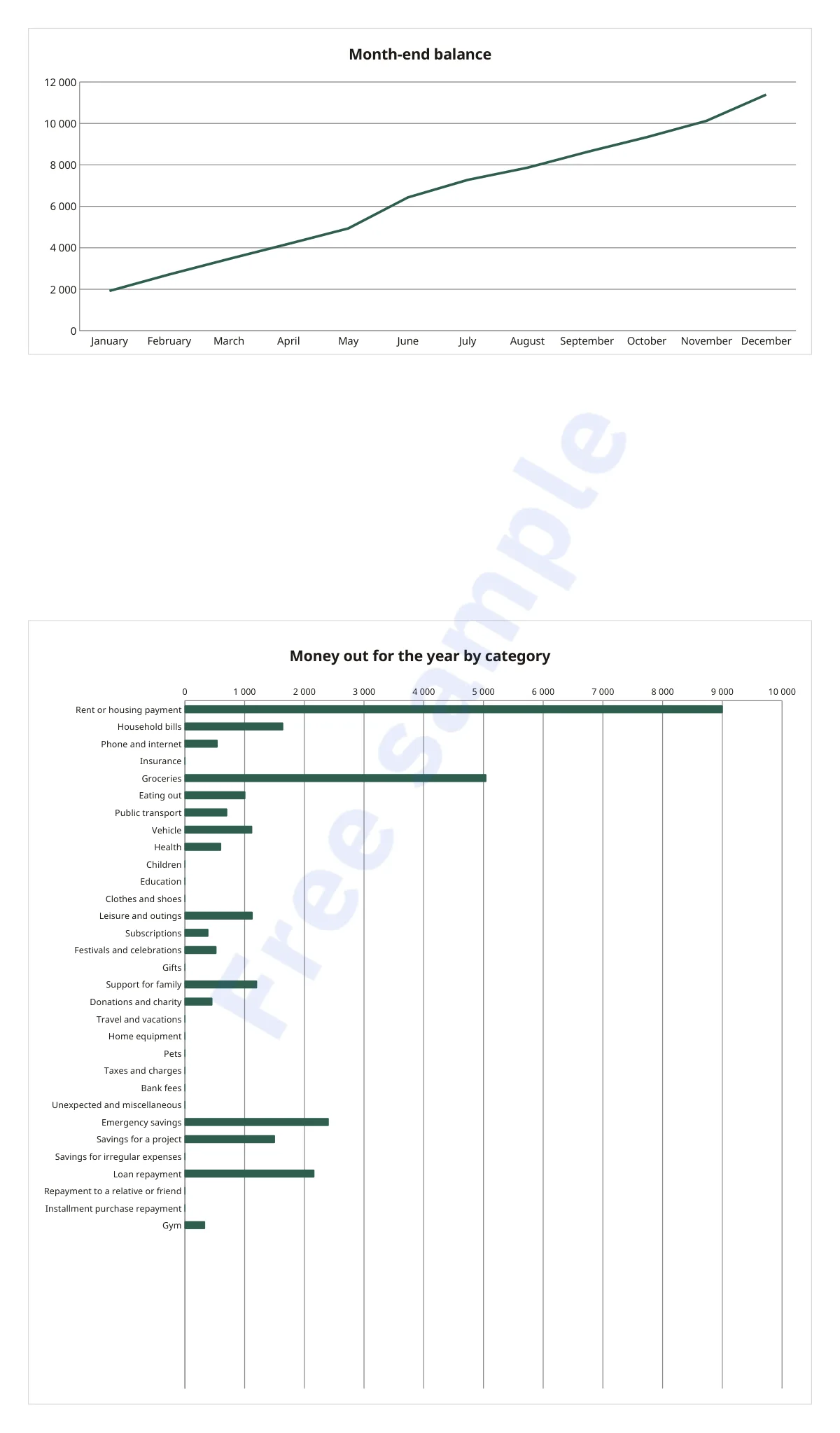
- Dashboard: 6 key figures, a 12-month table, money out by category and 3 charts (income and money out by month, month-end balance, money out for the year by category).
- Savings and debts: 8 savings goals and 8 debts to repay, with progress. These are simple divisions, with no interest calculation.
- Irregular expenses: 20 lines (8 examples already written) and a 12-month calendar.
- A 3-page PDF guide (US Letter): getting started, colors, Excel, Google Sheets and LibreOffice, frequently asked questions.
- Compatible with Excel 2016 or later, Google Sheets (by import) and LibreOffice Calc; tested in LibreOffice.
Who it is for
For anyone who runs a household budget alone or as a couple: employed, self-employed or retired. If you can type a number in a cell, you can use it. For anyone who has tried a free template and found it too complicated or broken. For anyone paid on the 25th rather than the 1st, who supports family or prepares for celebrations, and wants those costs to have their place.
Who it is not for
Not for anyone who wants a link to their bank or automatic statement import, or a mobile app. Not for anyone looking for investment advice or a loan calculator with interest. Not for business accounting (VAT, invoices), or for several currencies in one file.
Frequently asked questions
There are free templates. Why this one? If a free template is enough for you, keep it. This one shows your currency, uses only functions shared by Excel, Google Sheets and LibreOffice, and adds what free templates rarely have: a month that starts on payday, irregular expenses, and savings and debts linked to your categories.
I can’t write formulas. You won’t write any: just type in the yellow cells. The guide explains how to get started in 6 steps.
Does it work in Google Sheets? The file is compatible: import it with File > Import. Cell protection may be lost on import; the colors then remain your guide. We tested it in LibreOffice.
I have a Mac. It is compatible with Excel for Mac 2016 or later and with LibreOffice, which is free. Numbers has not been tested.
What about my phone? It can open in the Excel or Google Sheets apps, but it is designed for a computer: the sheets are wide.
My currency isn’t the dollar. Type its code or symbol in Settings. One currency per file; amounts are not converted.
Does it calculate the interest on my loan? No. It only subtracts your repayments. Your lender’s statement is the reference, and there is a column to note its balance.
Will I save money? The workbook promises no result. It shows where your money comes from and where it goes; the decisions remain yours.
Does my data go anywhere? No: no bank connection, no macros, no external links. The file stays on your computer, or in your Google Drive if you import it into Google Sheets.
And in 2028? Keep a blank copy, then change the year in Settings. One purchase, no subscription.
Important
This workbook is a personal organization tool. It is not financial, tax, legal or investment advice. The calculations rely only on the amounts you enter and may contain approximations (for example, debt tracking does not calculate interest). For any important decision, please consult a qualified professional in your country.